
 EN
 Chinese CN
Troubleshooting Software Errors: Server Security Settings Explained
How to Fix Errors in Some Software
Some programs show error pop-ups mainly because of permissions: they need more rights or access to configuration files in order to run.
The simple fix is to open the server - Security Settings
and adjust them according to the program's needs. If it needs permission to modify files, a simple option is to tick Local disk file modification on the server: No restrictions.
As shown below: 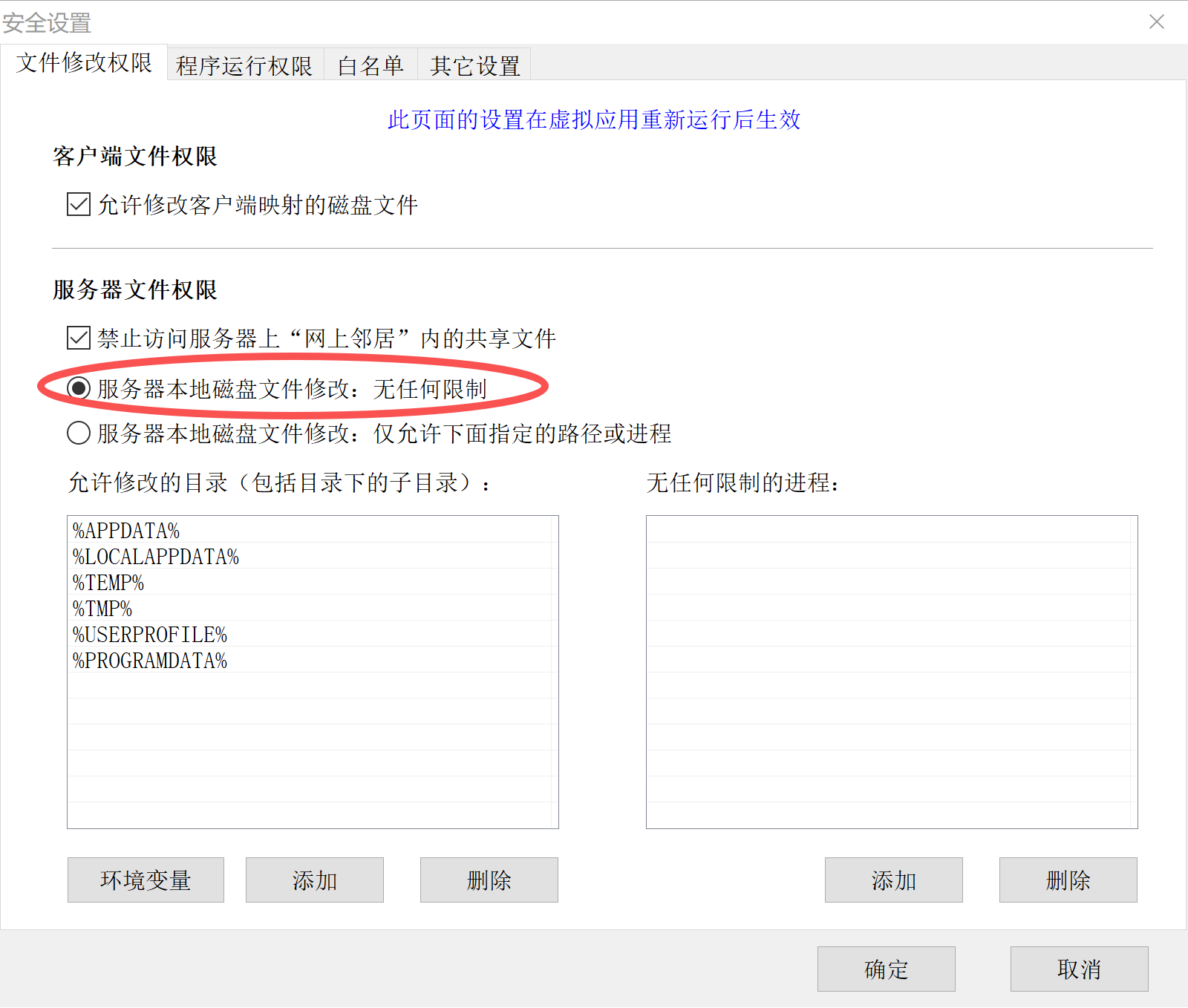
For a stricter setup, as shown here: select Local disk file modification: Only allow the paths or processes specified below, and add them as illustrated.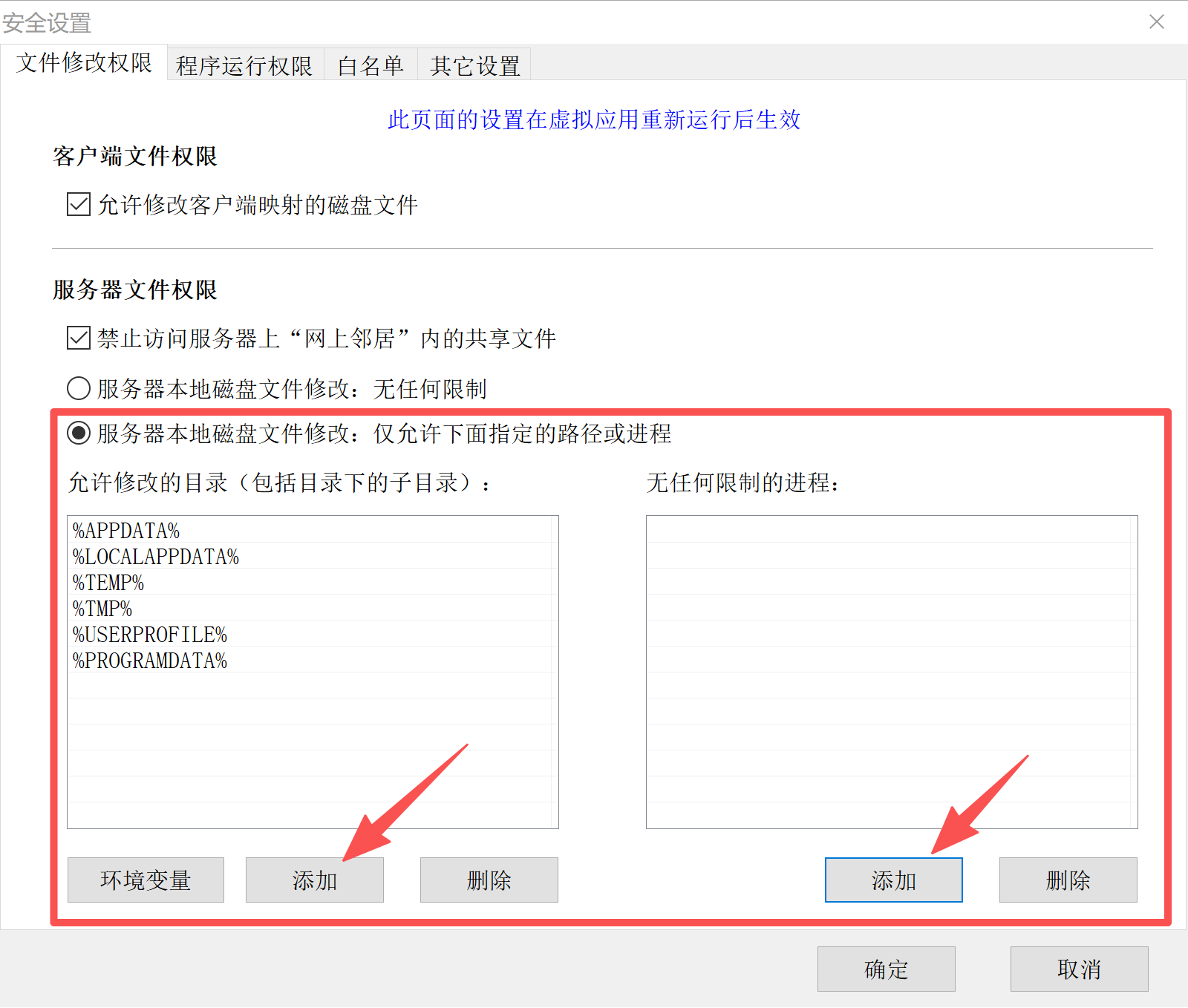
Some programs need execution rights; configure as shown below.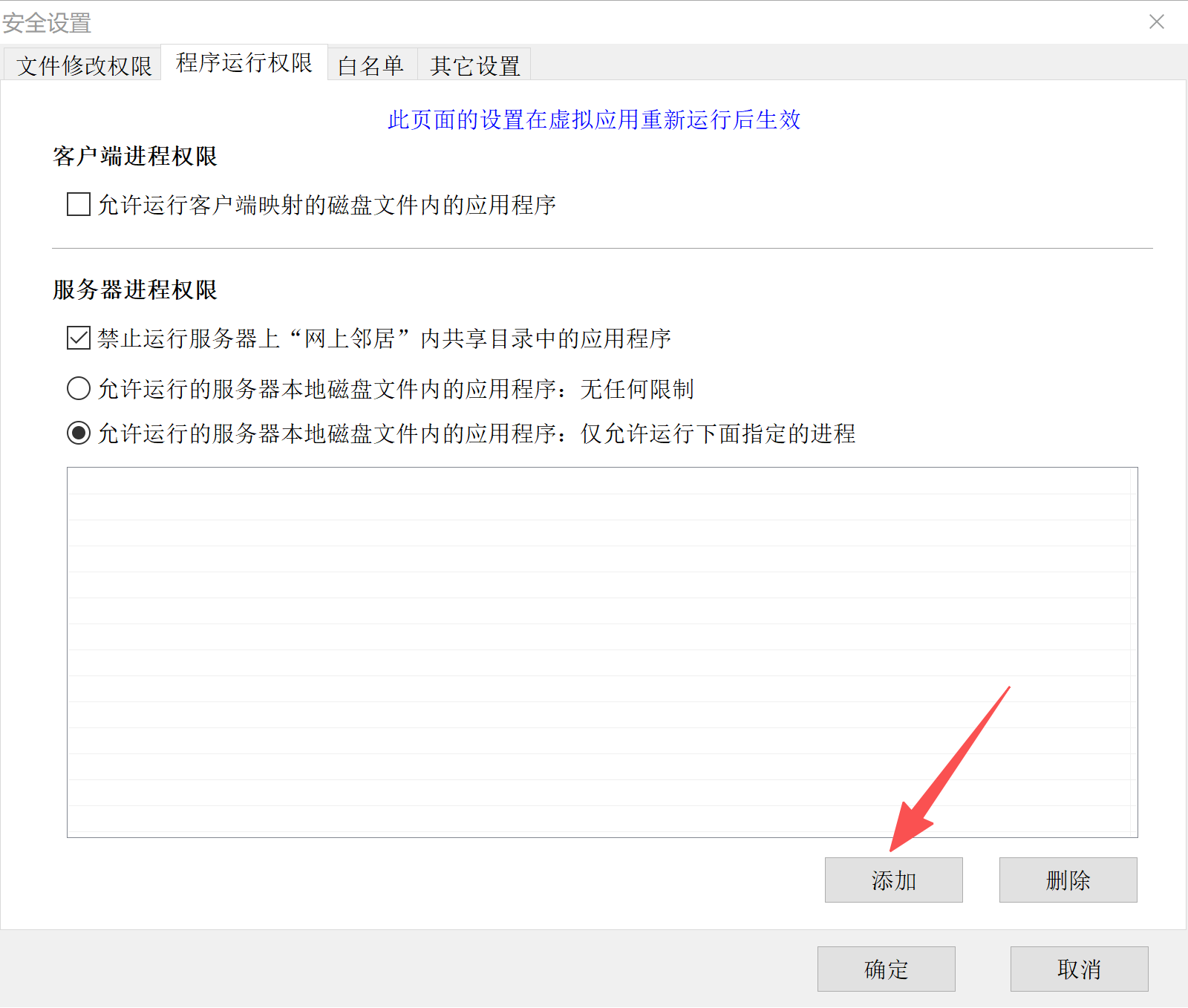
In whitelist mode, hook-based security control is used; programs added to the whitelist are no longer controlled by hooks.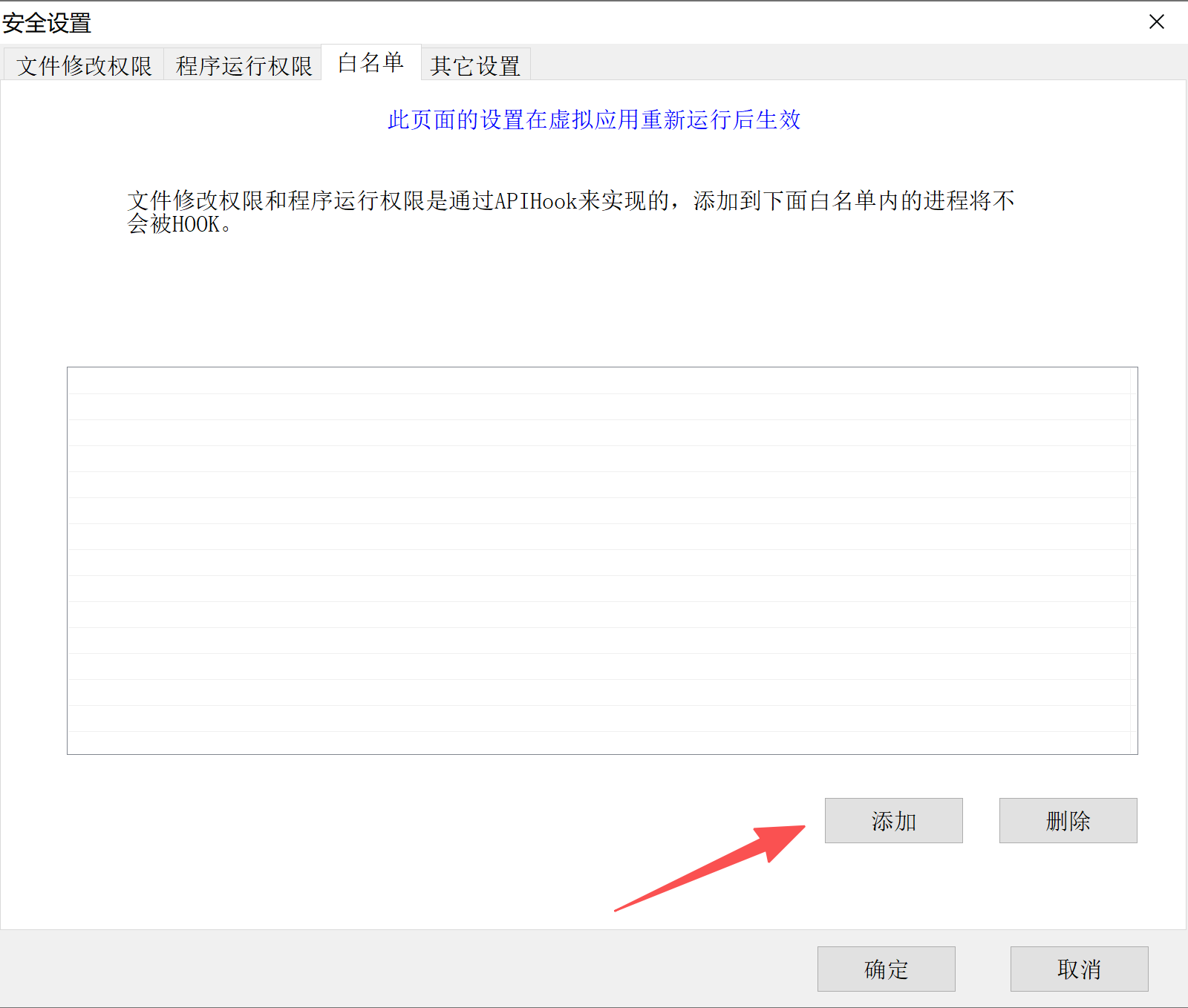
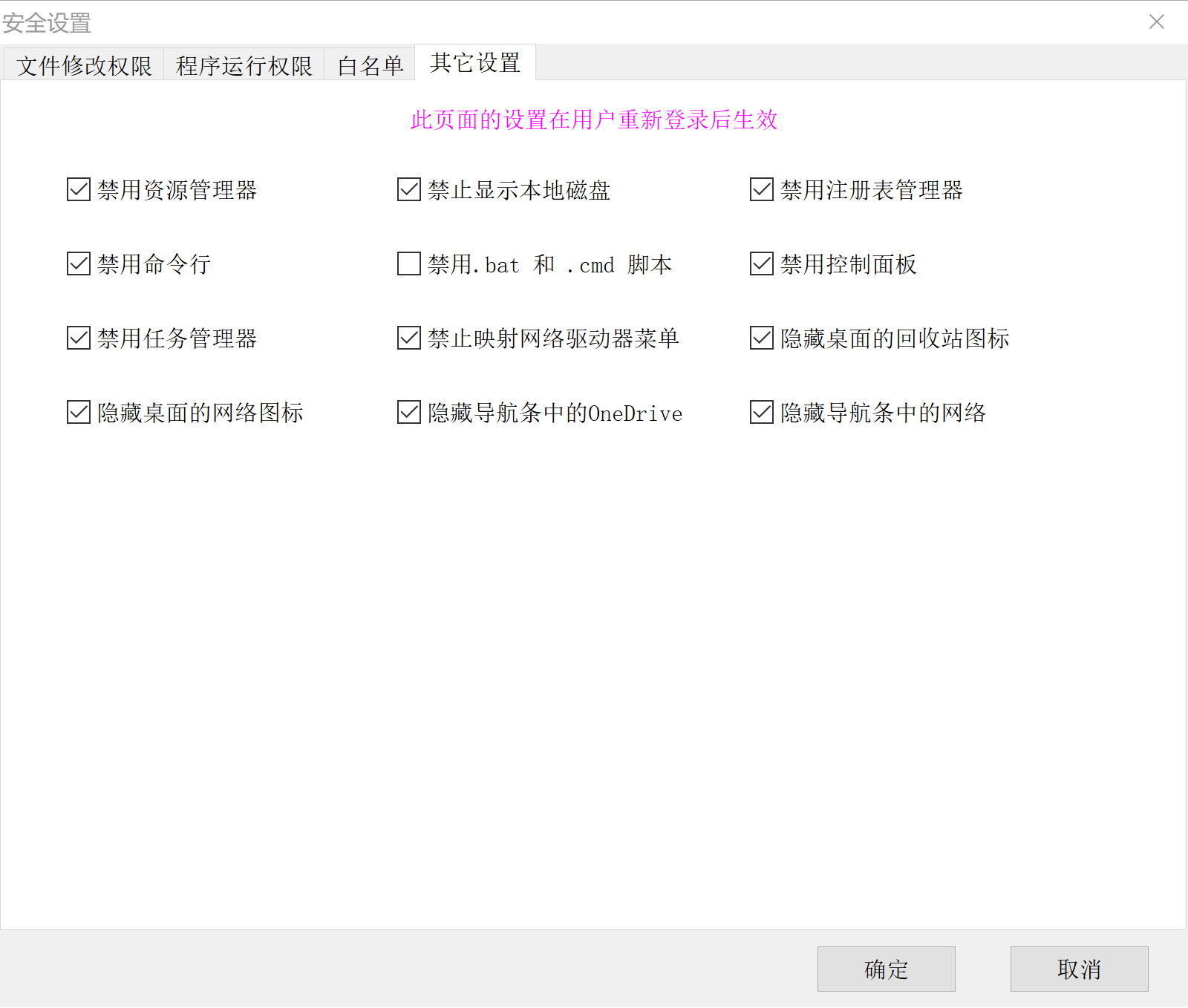
Other settings - if you do not want to give clients too many permissions, tick all the "prohibit" options.